
 Deutsch
What ShopperHopper looks like
Real screens from the app, nothing staged.

 Help
Help 
The list with real pictures
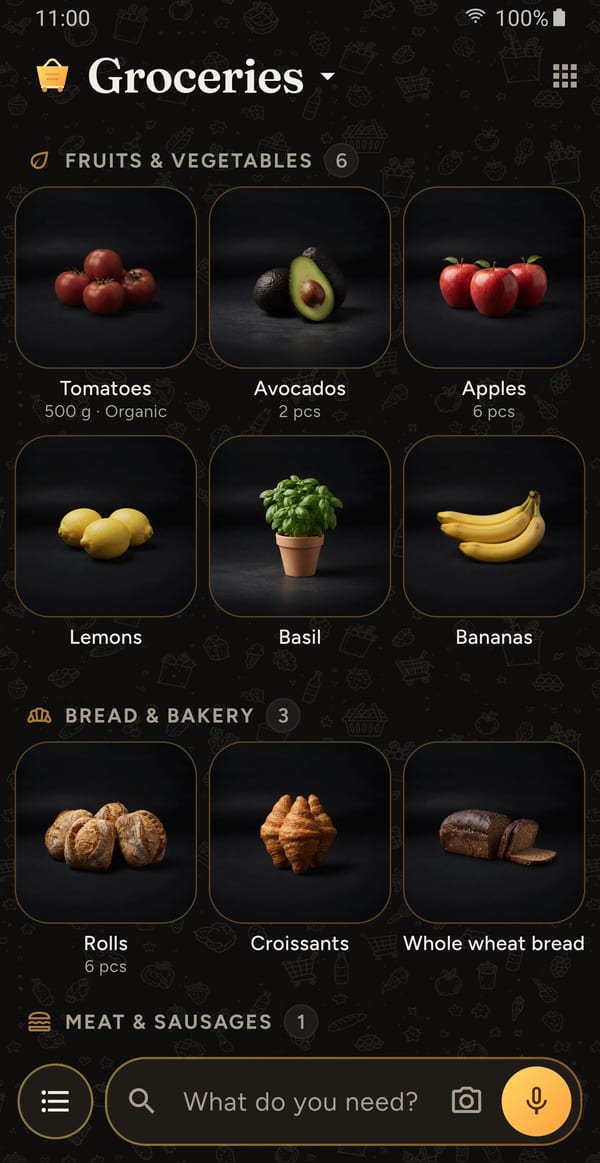
A photorealistic product picture for every item instead of an icon, sorted by category. Amount and detail right underneath.

Type the way you talk
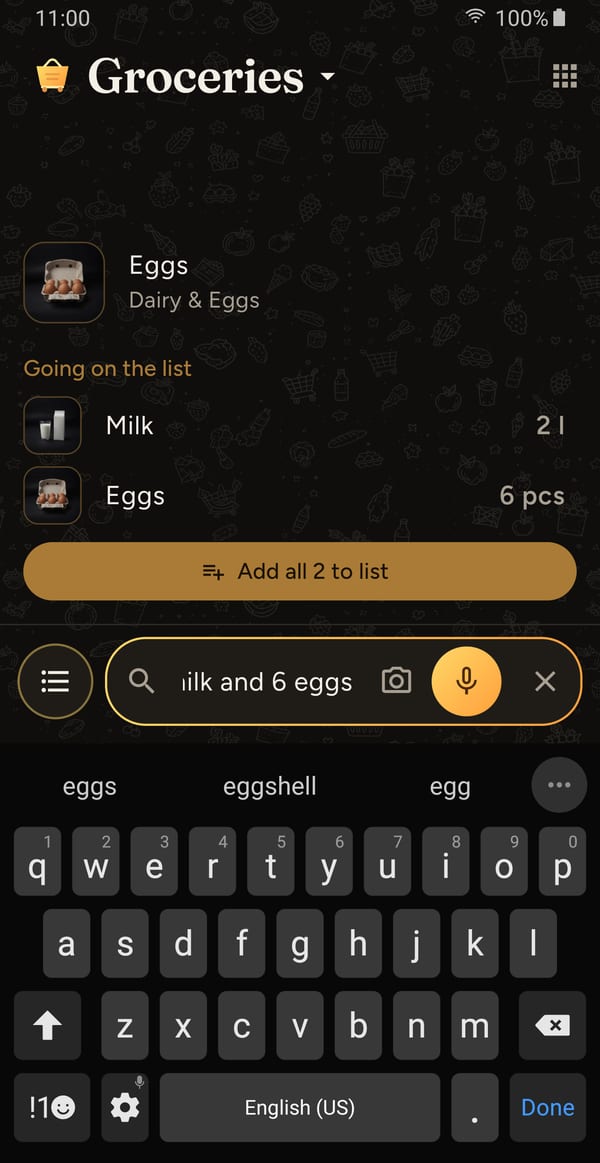
"2 liters of milk and 6 eggs" makes two items with amounts – typed or dictated. Matching items show up while you type, with a picture.

Take a photo instead of typing
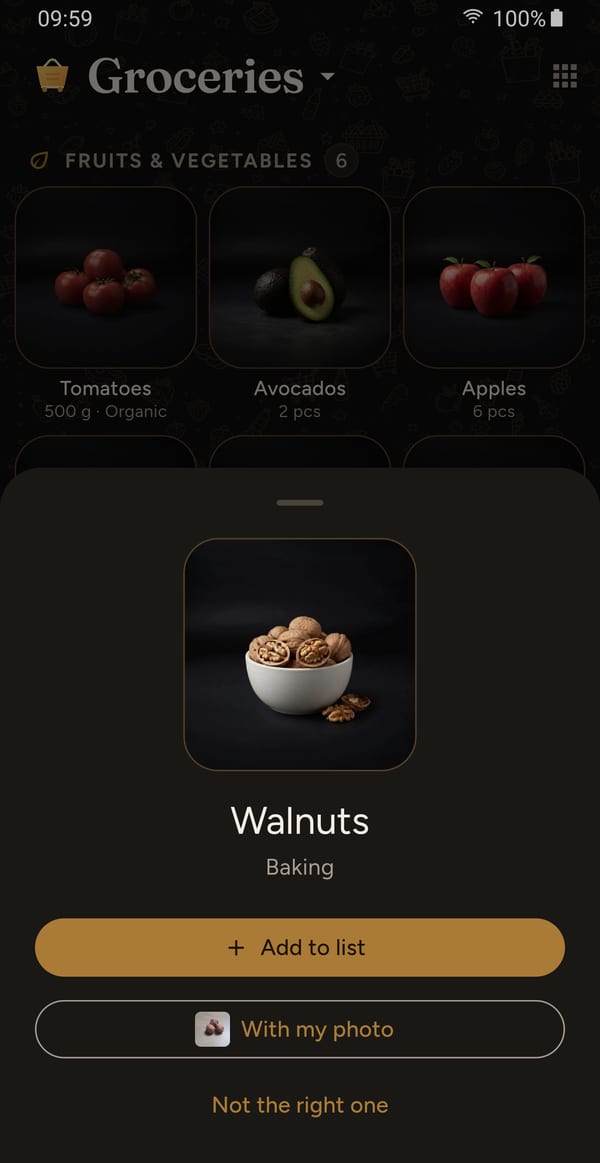
Take a photo of a product, an AI recognizes what it is. The catalog picture goes on the list – or your own photo.

Amount, detail, marker
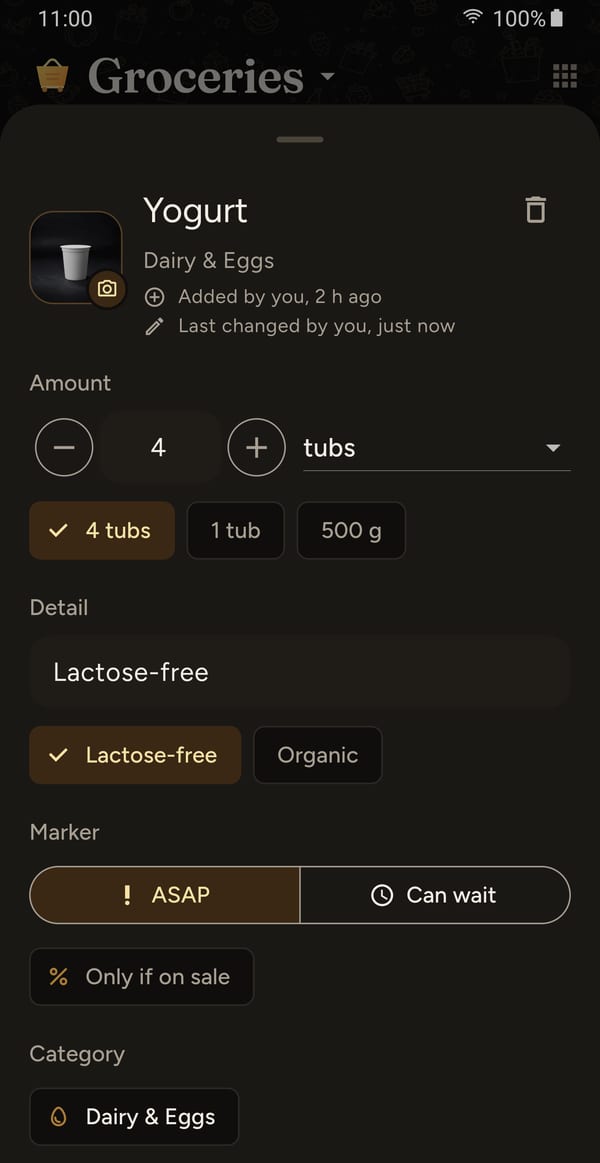
"4 tubs", "Lactose-free" and "ASAP" kept neatly apart, plus "Only if on sale". On shared lists you also see who added what.

Shop together
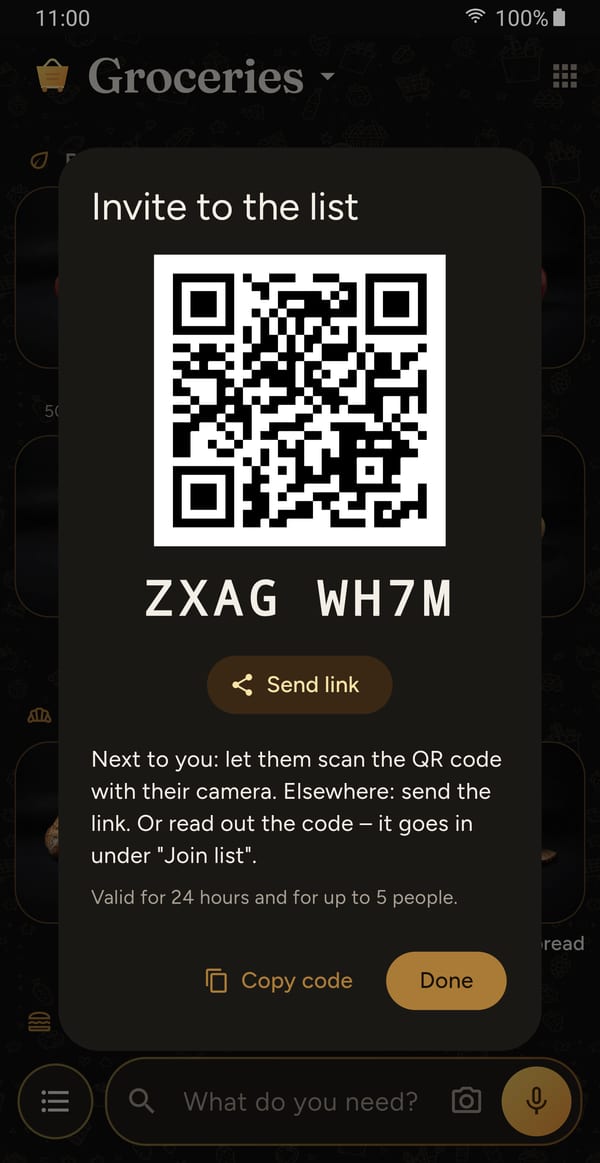
Share a list by QR code, link or short code. When one of you checks something off in the store, the other sees it right away.

Light, if you like
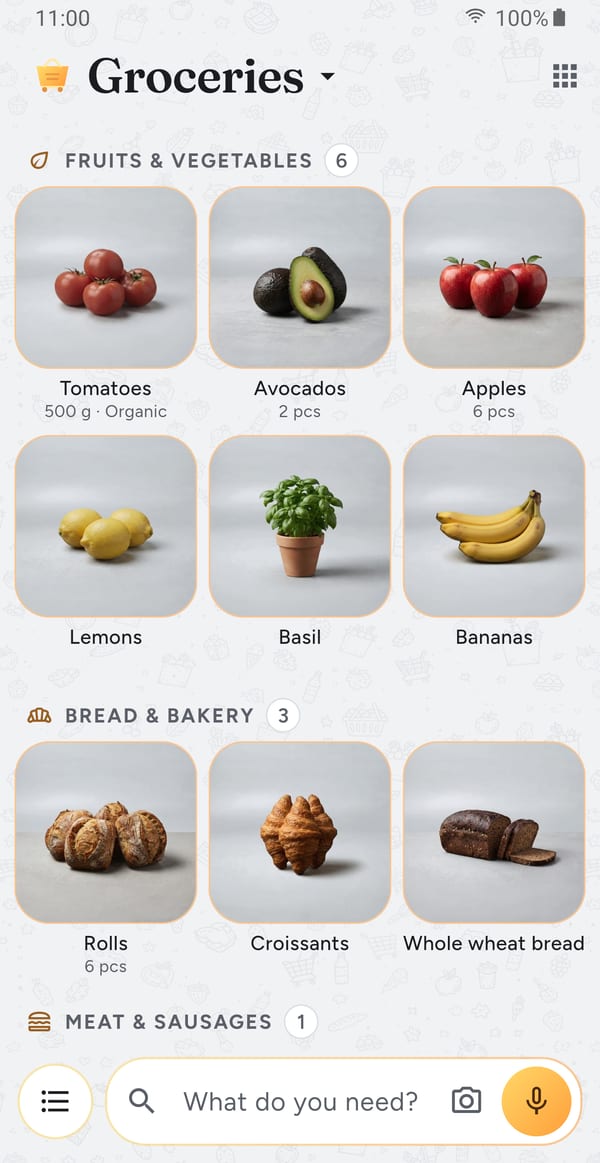
Light design and light product pictures, each chosen on its own. Dark is the default.
Google Play and the Google Play logo are trademarks of Google LLC.